
// zanna studio
The workbench,
written in the
language it edits.
Zanna Studio is where you edit, build, run and debug Zanna projects: a Zia editor with full language services, visual 2D and 3D scene editors, a VM debugger, an integrated terminal, a Git view — and a Play button that runs your game inside the editor window. It is written in Zia and runs on the same GUI and 3D runtime it ships to games.
// dogfood
455 Zia files, one C file
The most direct evidence that the platform works is that its own IDE is built on it. Studio’s source tree is Zia essentially all the way down.
By the numbers
- 455 Zia source files, around 150K SLOC
- One C file in the whole tree — a native menu probe used by tests
- Its manifest declares
lang zia, and it builds to a native binary like any other Zanna project - It grew from 26K to 150K SLOC over a single development cycle
On the same runtime as your game
The widgets come from Zanna.GUI. The 3D viewport is a
Zanna.Graphics3D.Canvas3D. The 2D scene surface is
Zanna.Game2D.SceneDocument. There is no private editor
framework underneath — Studio is a first-class client of the same
library a game links against.
That means editor bugs and engine bugs are frequently the same bug, and fixing one fixes both.
// editing
Code first
Zia editing is the part of Studio with the deepest coverage. Language services come from the compiler’s own semantic model rather than a separate index, so what the editor tells you is what the compiler thinks.
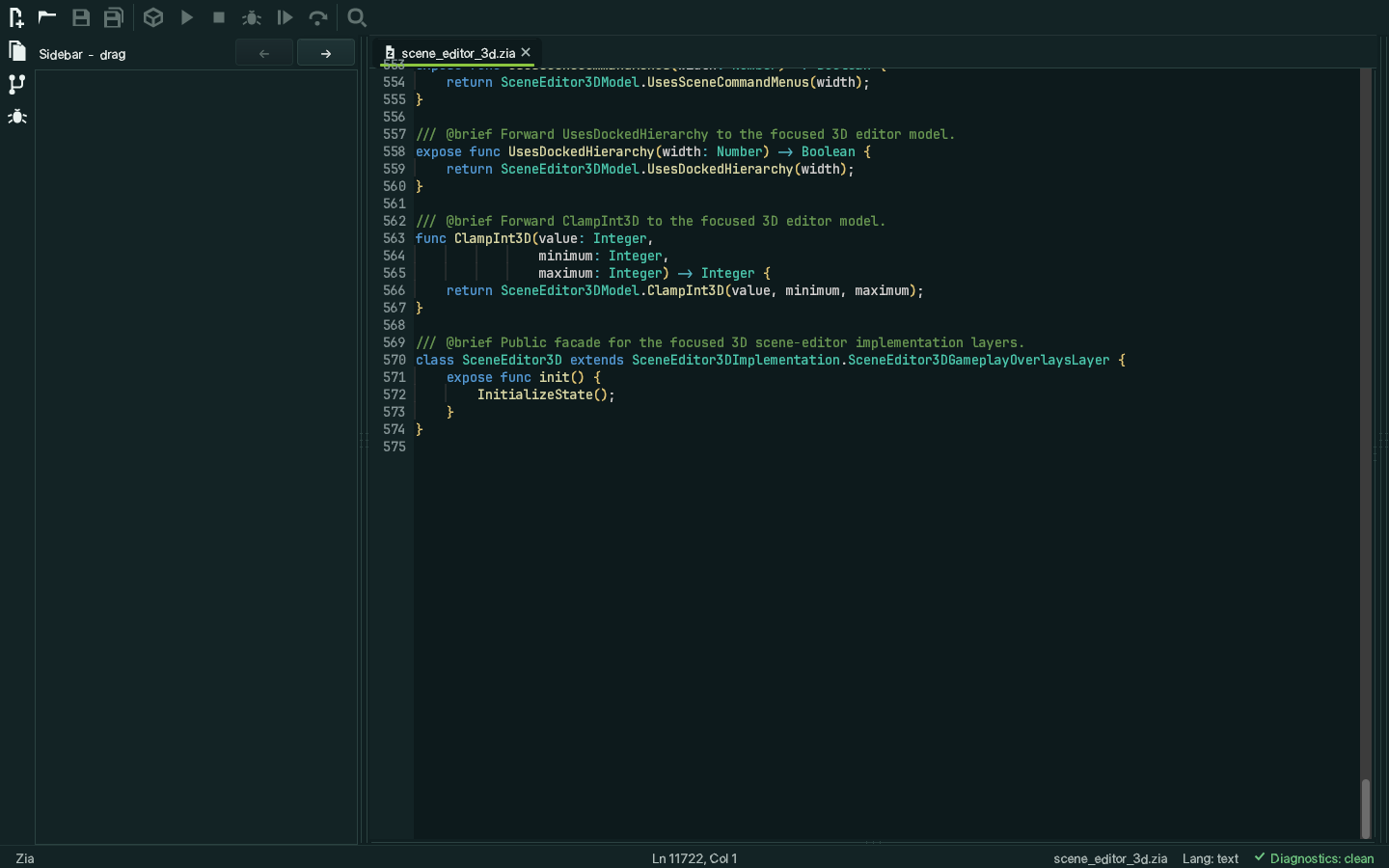
scene_editor_3d.zia — the 3D scene editor’s
implementation — open in the editor it implements. Captured from a real
build through the GUI test harness.
Language services
- Completion, diagnostics, hover, signature help
- Document and workspace symbols, go to definition, find references
- Incoming and outgoing call hierarchy, rename
- Organize Binds, Extract Local Variable, Extract Function, Inline Local Variable
- Formatting, and a split editor (v1: exactly two panes, distinct documents)
Working on a project
- Multi-root project explorer, Quick Open, project-wide search with Replace All
- Side-by-side diff against saved, against
HEAD, or against any commit - Build and run jobs, and a new-project wizard with console, GUI and library templates
- Rebindable shortcuts, settings search, session restore, crash-recovery snapshots
- Dockable layout: the sidebar drags to either side, panels group left, bottom and right
// 2d scene editor
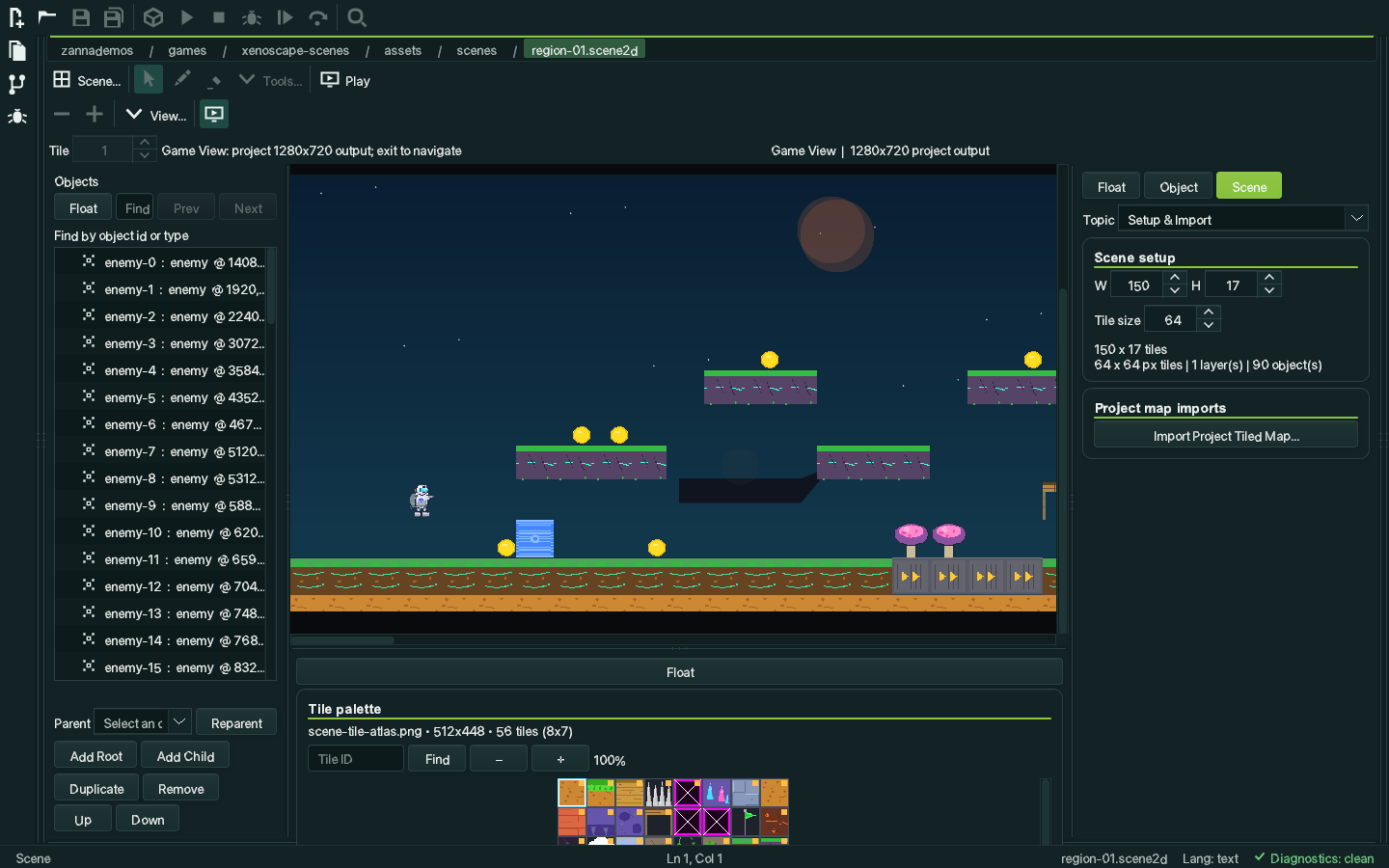
Tiles, objects and typed properties
Opening a .scene2d document mounts a visual editor instead of a
text buffer. The atlas is decoded and drawn for real, so the tiles you paint
with are the tiles the game will draw.
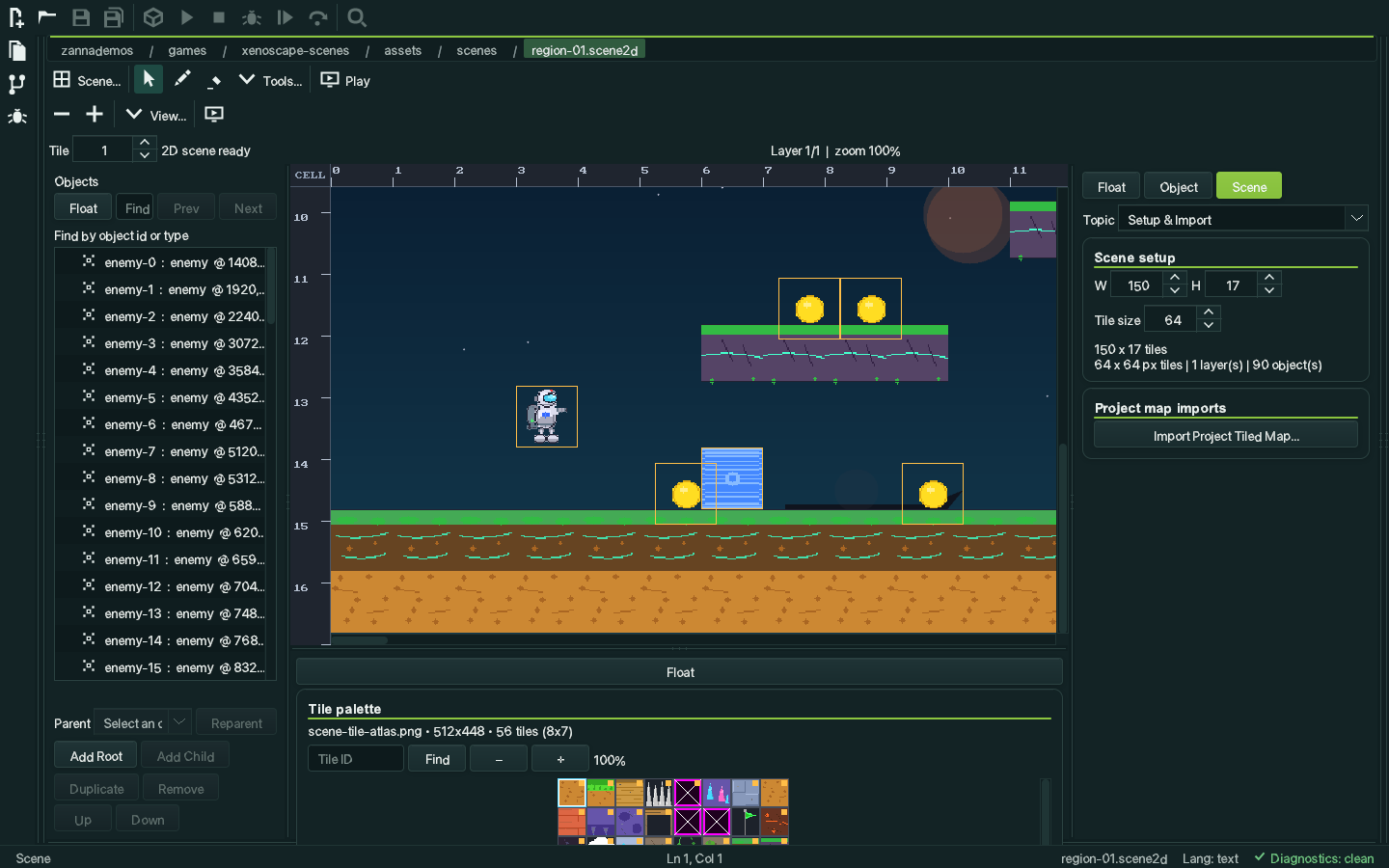
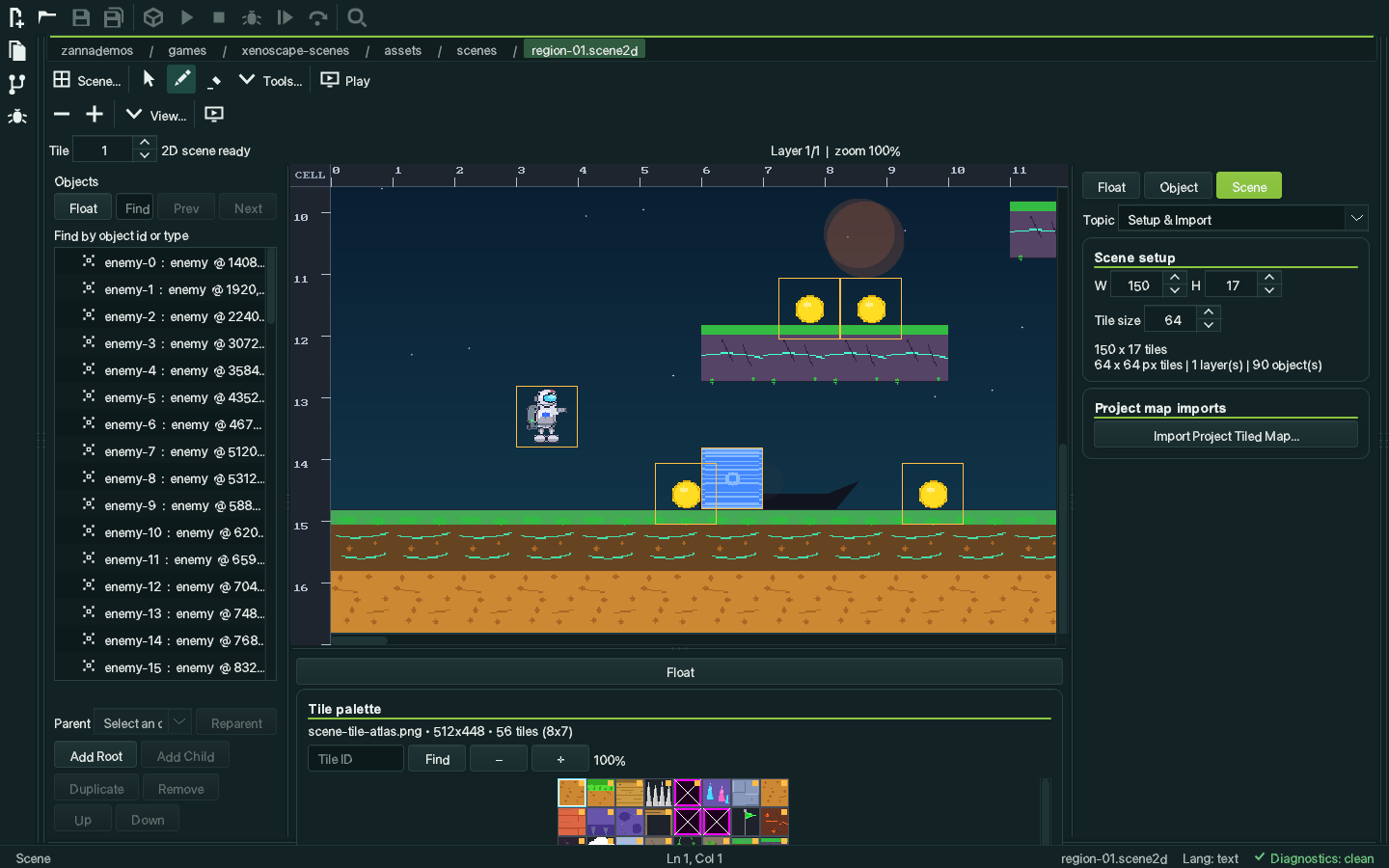
scene-tile-atlas.png in the palette, and the
scene’s typed properties — playerStartX,
playerStartY, region, theme — in the
inspector on the right. 150×17 tiles, one layer, 82 objects.
Authoring
- Layers with visibility, lock, solo and opacity, reordered by drag
- Select, Paint, Erase, Rectangle, Line, Ellipse, Fill and Object tools, each with an image-true translucent preview before it commits
- Point selection plus an inclusive marquee with add and toggle modifiers
- Object hierarchy with transactional before/into/after drops and a cycle-safe parent chooser
- Pixel and tile nudging, axis alignment, deterministic distribution
- Rulers, guides, grid, fit and 1:1, pointer-centred zoom
Tile behaviour
- Collision kind and typed per-tile properties
- Per-frame tile animations
- 16-variant autotile rules with a live preview that matches the runtime exactly
- Camera and lighting inspector groups
- Import from Tiled, in both JSON and TMX form
// 3d scene editor
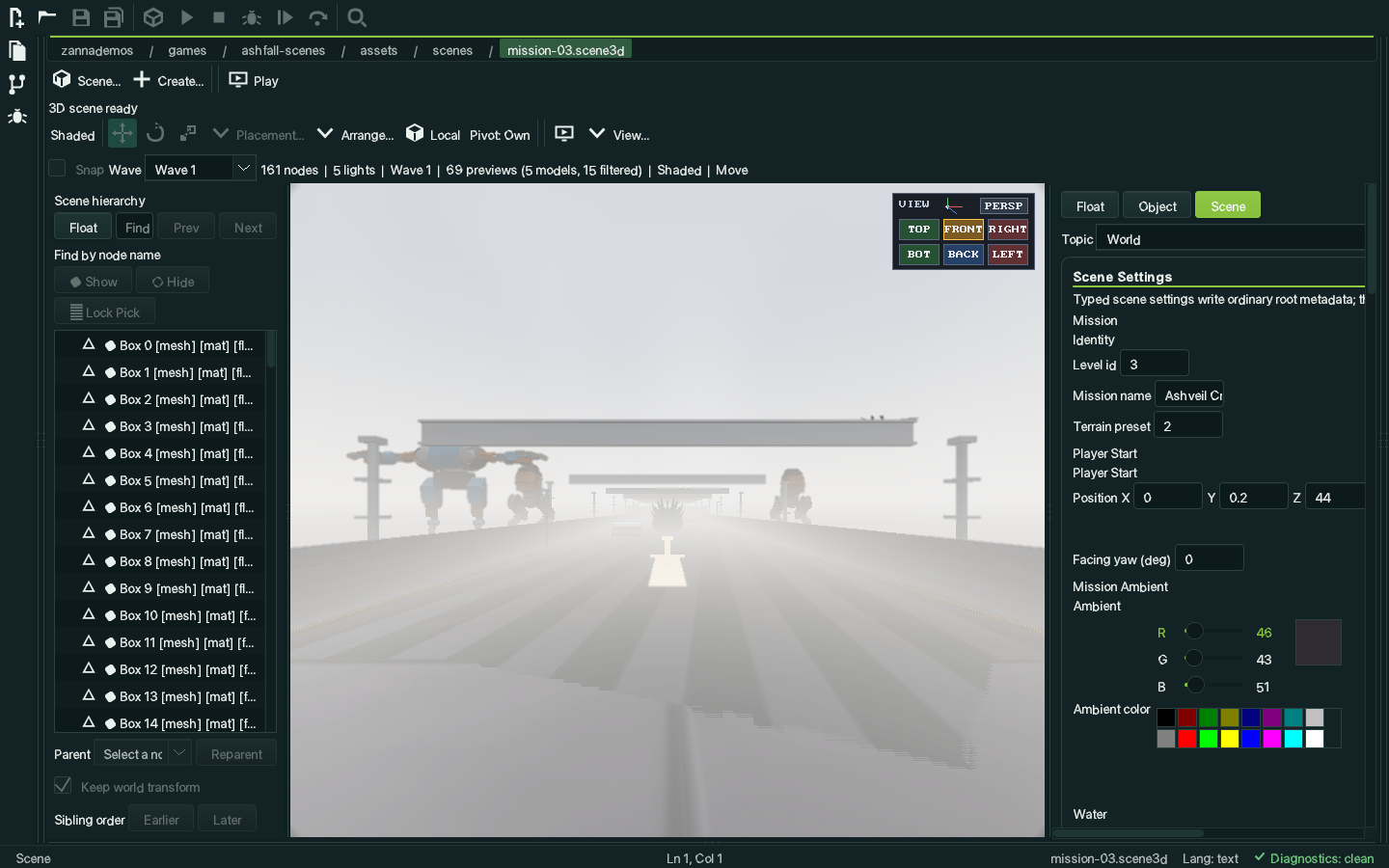
Hierarchy, gizmos and materials
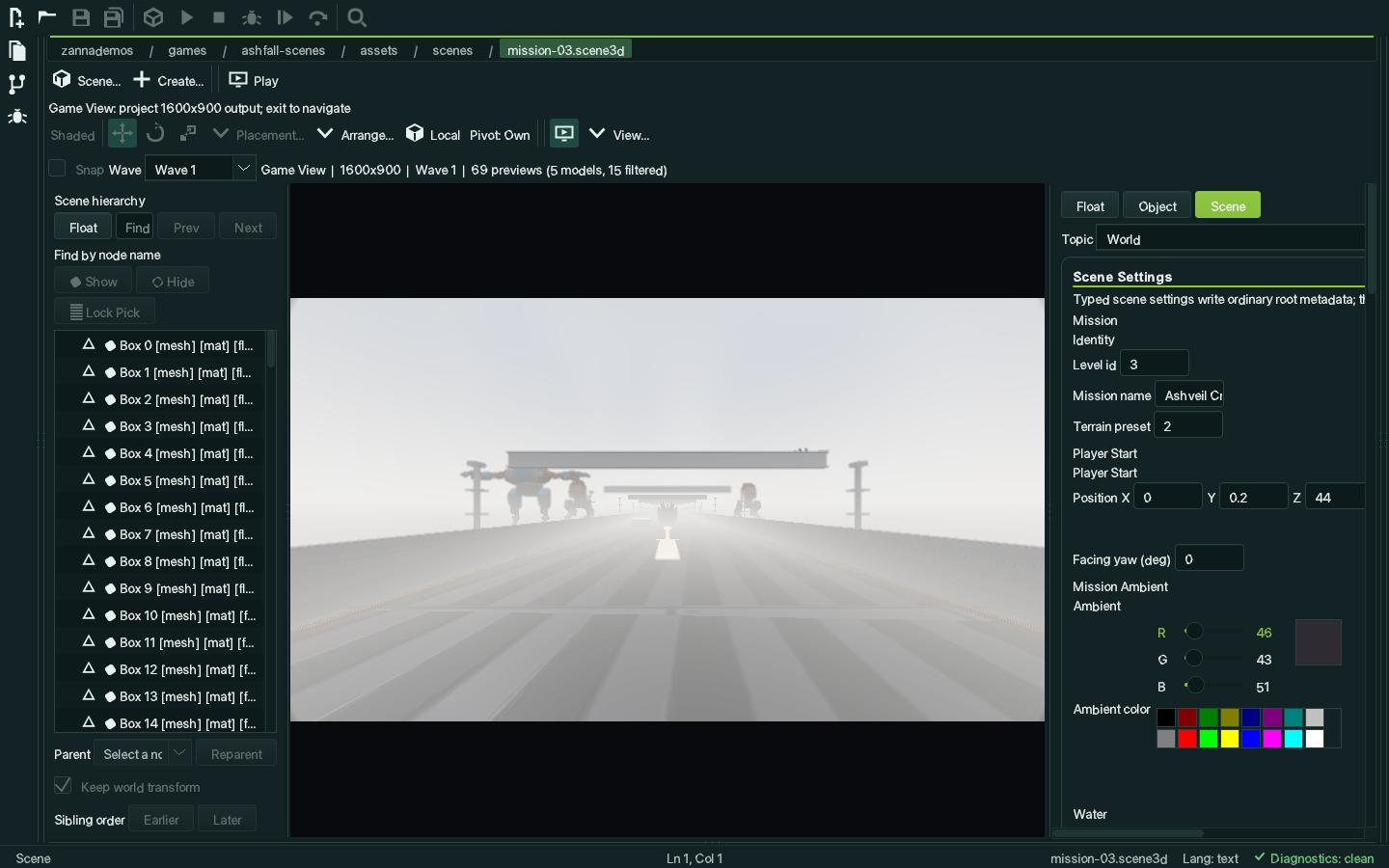
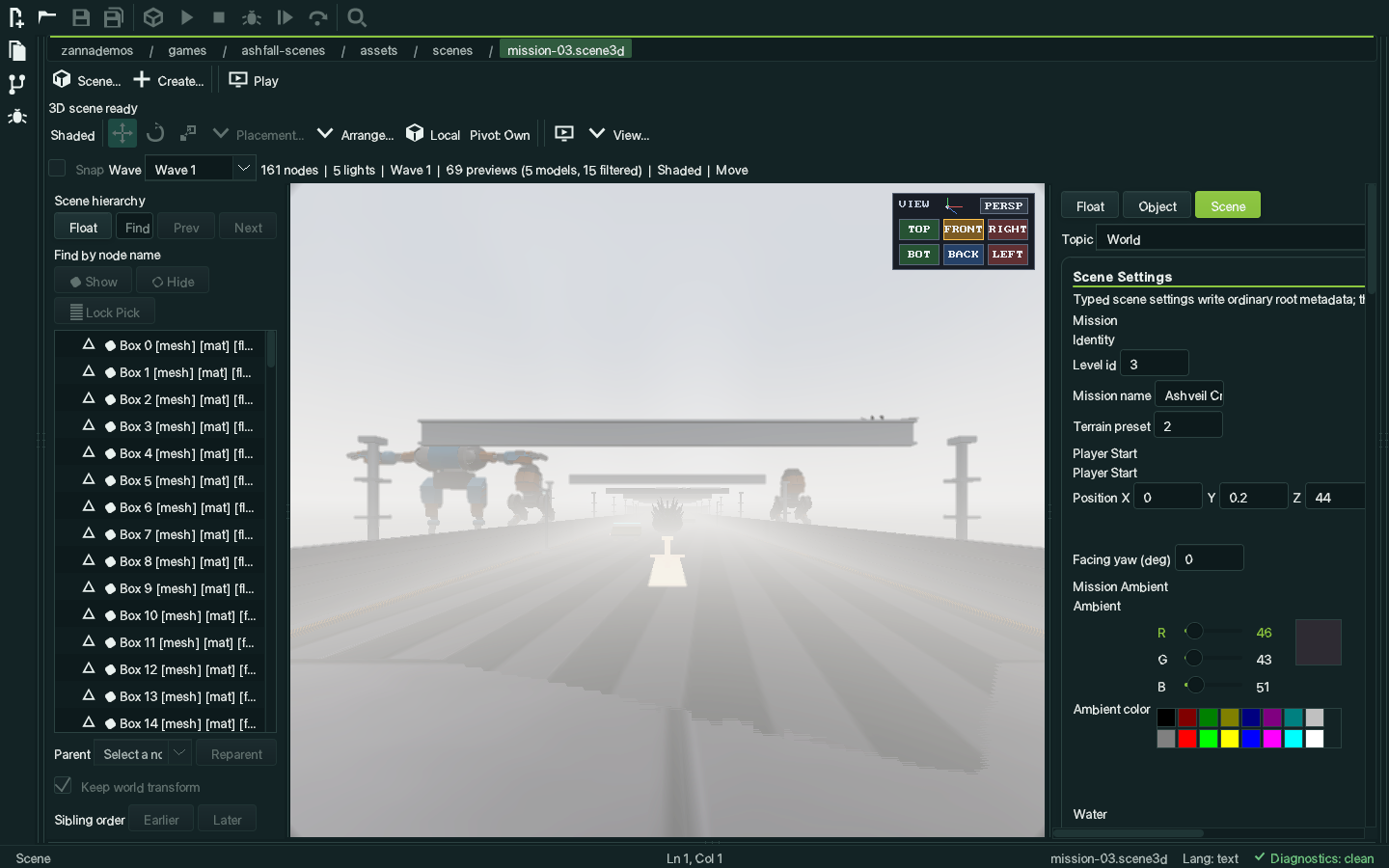
A .scene3d document opens on a perspective viewport backed by a
windowless Canvas3D — the same renderer the game uses, running
inside the editor.
Transform and hierarchy
- Move, Rotate and Scale gizmos with a per-scene Local/World toggle
- XY, XZ and YZ plane handles, projected rotation rings, snapping at 0.5 units, 15° and 0.1 scale
- Hierarchy tree with multi-selection, retained collapse state and transactional row drops
- Exact preserve-world reparenting, with preserve-local as an explicit opt-out; singular or shear conversions roll the whole group back rather than silently approximating
- Triangle-accurate picking, with Alt-click to cycle overlapping hits, and marquee selection
Content
- PBR material authoring with truthful Mixed values across a multi-selection, and batch texture map assignment
- All seven runtime light types, with hierarchy and viewport markers
- Terrain as canonical 33×33 heightfields, with Raise, Lower, Smooth and Flatten brushes
- Placement helpers: Drop, Surface, Align to surface normal, and Vertex snapping
- Collider authoring with wireframe overlays; camera nodes with look-through and a preview inset
- Shaded, Wireframe and Shaded+Wire viewport modes
// seeing your game
The editor frame is the game frame
Most level editors show you markers in a grey void and leave you to imagine the rest. Studio can draw the level. Your project describes, in a few lines of checked-in configuration, what its sprites, models, materials, backgrounds, terrain, sky, water and colour grade look like — and the editor reproduces them. It never runs your game to work any of it out, and nothing it draws is ever written back into your scene.
What a project can declare
- A spawn marker draws as the enemy sprite it will become; a prop marker as the actual model
- A 2D scene sits on the game’s own background art, with up to 64 variants selected by a scene property
- A 3D scene opens at the player’s start pose and eye height, under a sky generated from the game’s own palette
- The scene is surrounded by the terrain and water the game builds at runtime, in up to 32 conditioned layers
- The viewport runs the project’s own tone mapping, bloom, colour grade, vignette and FXAA
- Draw order follows the game’s: a bridge or canopy covers what passes under it, and clicking picks the sprite you can see on top
Rules, not a runtime
All of it comes from declarative preview profiles in the same
scene-components.json the schema lives in. They are data you
check into source control and review in a pull request, not a plugin and
not a script the editor executes.
Everything Studio draws for your benefit is presentation only. It never enters your scene’s bytes, its revision, its dirty state or its undo history. Metadata that is missing or the wrong type falls back to ordinary editor lighting rather than failing.
Effects that cannot promise the same result on every backend — SSAO, screen-space reflections, depth of field, temporal AA, motion blur — are deliberately left out of the preview chain rather than shown differently per platform.
// play
Your game runs inside the editor
Press Play and Studio builds the project if its sources changed, launches it, and shows the running game’s frames in the scene viewport while the editor keeps working around it. On macOS, Windows and Linux — including both Wayland and X11.
How it works
- A project declares a
run-profileofvmornative - A native project builds first if it needs to; a VM project launches straight under the interpreter
- Studio injects a shared-memory channel; the game’s frames arrive in the 3D viewport or on the 2D canvas
- Mouse and gameplay keys forward while the pane has focus
- The game’s own window stays hidden, so you get one window and not two
- The pane says building, waiting, live, stopped or exited rather than guessing
And the slower loop, when you want it
Run Scene (Ctrl+R) launches the game as a normal process at the scene you have open, using the project’s ordinary run configuration.
A documented --scene-watch convention closes the loop: a
game that honours it reloads the scene whenever the file’s timestamp
changes, so saving in Studio updates the running game. A torn write or a
file that does not parse keeps the previous scene rather than crashing
the run.
Nothing about either path touches the scene you have open.
// editor to game
What you author is what loads
A scene file is data, not a serialised object graph — it never instantiates game classes by name. Game code loads a scene and maps typed metadata onto its own entities, which keeps the editor from dictating a game’s architecture.
Projects declare their own component templates in a
scene-components.json file. Studio reads it and offers those
components in the editor with correct types and defaults, so a designer
places an Enemy Spawn rather than remembering that
enemy.archetype is a string:
{
  "version": 13,
  "components": [
    {
      "name": "enemy-spawn",
      "label": "Enemy Spawn",
      "target": "both",
      "createObjectType": "enemy",
      "createNodeName": "Enemy Spawn",
      "fields": [
        {"key": "enemy.archetype", "label": "Archetype", "type": "string", "default": "grunt"},
        {"key": "enemy.level",     "type": "int",    "default": 1},
        {"key": "enemy.radius",    "type": "float",  "default": 4.0},
        {"key": "enemy.active",    "type": "bool",   "default": true}
      ]
    }
  ]
}
Round trip
- Add Missing applies a component across a whole selection as one undoable action, preserving authored overrides and aborting the entire batch on a type conflict
- Create Object / Create Node places a correctly typed object with all its defaults and its project preview in one edit
- Game View strips editor chrome in one reversible action and renders the scene at the project’s authored output size
- Run Scene (Ctrl+R) launches the owning project with
--scene <path>
Proven against the old way
Two complete games were rebuilt from Studio-authored scenes: XENOSCAPE’s ten 2D regions and Ashfall’s nine 3D missions plus its hub. In XENOSCAPE, roughly 3,500 lines of level-builder code became a ~120-line loader.
Both ship parity probes proving each authored scene reproduces the code-built level byte for byte through the canonical serialiser. That is what makes the scene files, rather than the code, safe to treat as the source of truth.
// running and debugging
Debugger, terminal, source control
VM debugging
- Backed by
zanna run --debug-adapter - Breakpoints, stepping, run to cursor, call stack
- Locals, watches, evaluate, conditional breakpoints and logpoints
- Structured expansion of collections and class-instance fields
- Boxed struct payloads stop at a leaf rather than expanding, and direct-IL and BASIC sessions have layout-sidecar gaps
Terminal and Git
- An integrated PTY terminal covering the vim / less / htop escape-sequence table: alternate screen, DECSTBM scroll regions, bracketed paste, SGR truecolor
- A Git source control view: status, staging, commit, paged history, per-commit diffs, and PTY-backed push and pull with in-app credential prompts
// plainly
What it isn’t yet
Studio’s own status document sets the rule that the documentation should be less optimistic than the code. These are the limits worth knowing before you form an opinion of it.
Known limits
- Not a complete scene editor. Deferred: prefab per-field descendant overrides, multiple simultaneous 3D viewports, visual water and navmesh authoring, and advanced terrain splat, LOD and hole tools.
- No GPU lightmap baking. The CPU path tracer is the only baker. Lightmap-only and baked-preview viewport modes, and MSAA, are unimplemented.
- The offscreen viewport is only GPU-accelerated on macOS today. Metal has a real headless context; the OpenGL and Direct3D 11 headless contexts are still pending, so those platforms fall back to software for the editor viewport.
- Not a full Git client. There is no merge or rebase orchestration and no ours/theirs conflict recovery.
- BASIC is not as deeply served as Zia. Completion, diagnostics, hover and symbols are compiler-backed, but semantic navigation comes from a lightweight scanner rather than the compiler’s semantic model.
- No detachable or multi-monitor windows. The floating panel group is in-window only.
- No automatic unattended schema migration for project component schemas.
- Cross-platform is intended, not verified. Studio’s own feature matrix lists it that way, and it is the honest status.